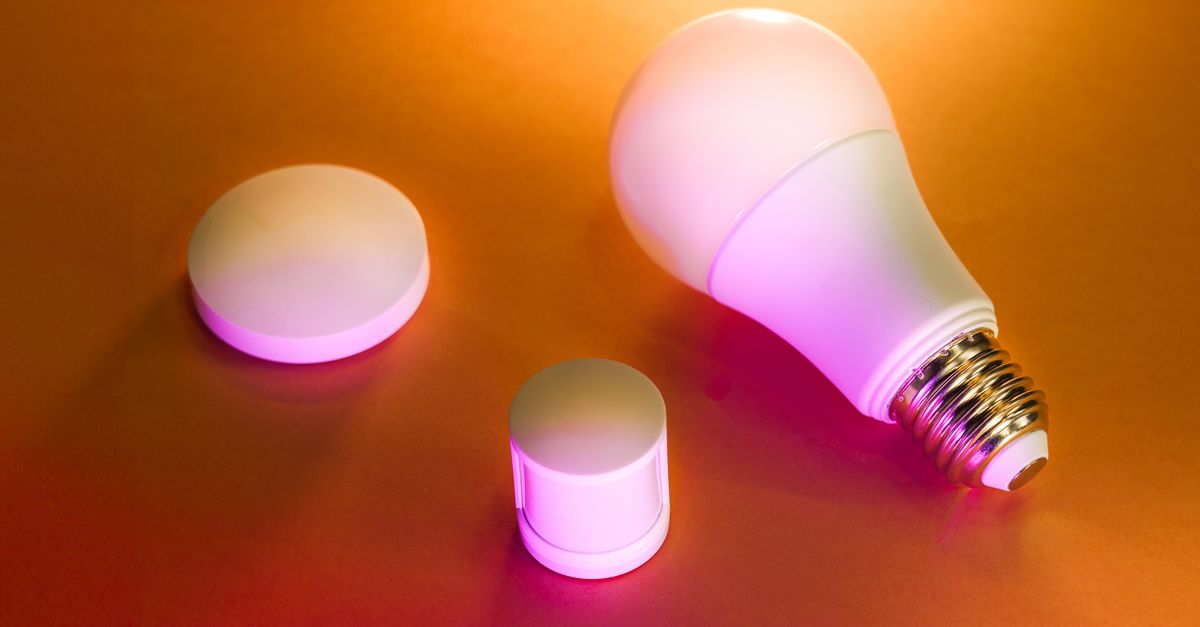
You probably bought into the dream: a smart home that anticipates your needs, streamlines your life, and frees up precious mental bandwidth. Imagine walking through the door, and the lights gently brighten, your favorite music starts playing, and the thermostat adjusts to your preferred temperature, all without lifting a finger. I certainly did. For years, I accumulated smart plugs, voice assistants, automated blinds, and intelligent light bulbs, believing each new gadget was a step toward a more efficient, less stressful existence. My home, I thought, was finally working for me, not the other way around.
But then a strange thing started happening. My supposed productivity gains began to erode. Instead of saving time, I found myself troubleshooting network issues, debugging routines that mysteriously stopped working, and getting sidetracked by notifications from devices I barely remembered owning. The promise of seamless integration often dissolved into a fragmented experience, where different apps controlled different devices, and a simple command required a mental inventory of which assistant was connected to which system. What started as a quest for convenience slowly morphed into a subtle, insidious drain on my focus and energy. The very devices meant to simplify my life were, in many ways, making me less productive. If you find yourself nodding along, you’re not alone. The smart home revolution, while exciting, has a hidden dark side for our focus and productivity.
Key Takeaways
- Over-automation leads to a loss of essential problem-solving skills and mental engagement, paradoxically increasing reliance.
- Constant notifications and complex troubleshooting from smart devices create significant cognitive load and reduce focus.
- The ‘always-on’ nature of smart technology blurs work-life boundaries, making it harder to disconnect and truly rest.
- A minimalist approach, focusing on essential functions and reliable integration, is crucial for turning smart tech into a true productivity asset.
The Over-Automation Trap: Losing Your Edge to Convenience
When I first got my smart coffee maker, I was thrilled. I could schedule my coffee to brew just as my alarm went off, ensuring a fresh cup was waiting for me. This felt like the pinnacle of efficiency. But after a few weeks, I noticed something odd: I had stopped thinking about coffee. Not in a good way. I no longer made the conscious decision to brew it, to measure the grounds, or even to enjoy the aroma of the preparation. The act itself had become invisible, automated away. And when the Wi-Fi glitched one morning, or the schedule inexplicably reset, I was utterly lost. My brain, accustomed to outsourcing this simple task, struggled with the basic manual process. It was a small realization, but a profound one.
This is the over-automation trap. While some automation is genuinely beneficial (think repetitive data entry, not basic life skills), too much convenience can dull our cognitive faculties. When we delegate every minor task to a smart device, we relinquish the small moments of problem-solving, planning, and manual engagement that keep our brains sharp. For example, programming a complex lighting scene might seem productive, but it removes the simple act of flipping a switch and adjusting to the ambiance in the moment. These seemingly insignificant interactions contribute to our overall mental agility and presence. My recommendation? Automate only the truly mundane, high-volume tasks that offer zero creative or cognitive benefit. Leave room for manual interaction in your daily life to maintain mental dexterity. For me, that meant ditching the smart coffee maker and embracing the ritual of brewing my own morning cup. The small ‘effort’ actually became a moment of calm and focus, rather than another point of potential tech frustration.
The Notification Overload and Cognitive Drain of Constant Connectivity
My smart home setup started with just a few devices: lights and a thermostat. Then came the door sensor, the smart lock, the video doorbell, the air purifier, the robot vacuum, and the list went on. Each one promised peace of mind or convenience, but each also came with its own app, its own set of notifications, and its own potential for distraction. I found myself receiving alerts for things I didn’t truly need to know: “Front door opened” (it was just my spouse), “Vacuum cycle complete” (I was in a meeting), “Air quality suboptimal” (just my cooking fumes). Each ping, vibration, or pop-up, no matter how trivial, pulls your attention away from what you’re doing. Even if you don’t immediately check it, the mere awareness of a pending notification creates a cognitive burden.
Psychologists refer to this as ‘attention residue’ — when you switch from one task to another, your attention doesn’t immediately follow. A part of your mind remains tethered to the previous task, reducing your capacity for the new one. With smart home devices, this residue becomes pervasive. You’re constantly aware of the potential for an alert, even if one doesn’t come. I discovered this when I analyzed my own work habits. A deep work session would be interrupted by a doorbell notification, even if I didn’t get up to answer it. The thought, ‘Who’s at the door?’ lingered. My solution was drastic but necessary: I disabled almost all non-essential smart home notifications. My smart lock still alerts me if it’s left unlocked for too long, but I no longer get a ping every time someone enters or leaves the house. This dramatically reduced the background noise in my brain and allowed me to reclaim my focus. You need to be ruthless about what truly warrants an immediate alert from your home, otherwise, your smart devices will turn into attention vampires.
The Illusion of Control: When Troubleshooting Becomes a Part-Time Job
One Sunday afternoon, I decided to set up a complex routine: when I say “Movie time,” the lights dim to a specific percentage, the smart blinds close, and the TV turns on. It sounded simple enough in theory. In practice, it took me nearly two hours. The blinds were on one platform, the lights on another, and the TV on a third, requiring multiple skill linkages and app integrations. Then, a week later, one of the light bulbs updated its firmware, breaking the routine. Another hour spent debugging. Sound familiar? This isn’t convenience; it’s a second job. The promise of an effortlessly controlled environment often clashes with the reality of fragmented ecosystems, intermittent Wi-Fi issues, and proprietary software updates.
I’ve spent countless hours troubleshooting why a specific light wasn’t responding, why a voice command was misinterpreted, or why two ‘smart’ devices that were supposed to be compatible suddenly weren’t talking to each other. This constant need to act as a system administrator for your home is a huge productivity killer. It diverts energy and time that could be spent on actual work, creative pursuits, or genuine relaxation. My advice, after much pain, is to standardize as much as possible on one or two reliable ecosystems (e.g., Apple HomeKit, Google Home, Amazon Alexa) and choose devices that are certified to work well within those platforms. Avoid mixing and matching too many brands with separate apps unless absolutely necessary. And, most importantly, don’t overcomplicate your routines. Start simple, focus on reliability, and only add complexity if it genuinely solves a significant, recurring problem without introducing new headaches. I now only use very basic, robust routines that rarely fail, saving me hours of frustration.
The Always-On Anomaly: Blurring the Lines Between Work and Rest
One of the insidious effects of a fully connected home is the erosion of boundaries. Before smart devices, ‘home’ often meant a respite from the digital world, a place where technology could be turned off or at least largely ignored. Now, my home is the digital world, at least in many aspects. Even when I’m trying to relax, the presence of voice assistants, always listening, always ready to respond, subtly keeps me ‘on.’ My smart thermostat could be adjusted from my phone while I’m on vacation, blurring the line between physical presence and digital control. The smart lights can be tweaked from bed, further extending the reach of my digital interactions into moments that should be purely restful.
This ‘always-on’ anomaly makes it harder to truly disconnect and achieve deep rest. The constant potential for interaction, even passive listening, keeps a part of our brain engaged. For true productivity, we need periods of complete disengagement, where our minds can wander, process, and recharge without the subtle hum of technology. What changed for me was consciously creating ‘tech-free zones’ and ‘tech-free times’ within my smart home. For example, my bedroom is now completely free of voice assistants and non-essential smart devices. My smart lights in the bedroom are controlled by a physical switch, and that’s it. Furthermore, I schedule my home automation to have ‘downtime’ – for instance, all non-essential smart notifications are paused after 9 PM. This creates a clear signal to my brain that it’s time to unwind and disconnect, preventing the subtle erosion of my personal boundaries by ever-present technology. Remember, the goal of technology should be to serve us, not to demand our constant, subtle attention.
Frequently Asked Questions
Q1: Is smart home technology inherently bad for productivity?
A1: No, it’s not inherently bad. The issue arises from over-automation, excessive notifications, fragmented ecosystems, and the ‘always-on’ nature that can lead to cognitive overload and blurred boundaries. When implemented mindfully and minimally, smart home technology can indeed enhance convenience without sacrificing productivity.
Q2: How can I prevent notification overload from my smart devices?
A2: Be ruthless about disabling non-essential notifications. Prioritize only critical alerts (e.g., security breaches, smoke detectors) and turn off notifications for routine events like lights turning on/off, vacuum cycles, or minor temperature changes. Consolidate notifications to a single app or platform if possible, and schedule ‘do not disturb’ times for your devices.
Q3: What’s the best approach to setting up smart home routines to avoid frustration?
A3: Start simple and build gradually. Focus on one or two core automations that provide clear, consistent value. Choose devices from a single, reliable ecosystem (e.g., Google Home, Amazon Alexa, Apple HomeKit) to minimize integration issues. Test routines thoroughly and avoid overly complex sequences that are prone to breaking with firmware updates or network glitches. Prioritize reliability over intricate control.
Q4: How can I create better boundaries with my smart home devices to improve focus and rest?
A4: Designate ‘tech-free zones’ in your home, especially in bedrooms or relaxation areas, by removing voice assistants and non-essential smart devices. Schedule ‘downtime’ for your smart home, pausing notifications and complex routines during evenings or weekends. Physically disconnect devices if you find yourself constantly tempted to interact with them. The goal is to separate periods of active engagement from true rest and relaxation.
Q5: Should I get rid of all my smart home devices for better productivity?
A5: Not necessarily. The key is to be intentional and minimalist. Identify the devices that genuinely add value and convenience without introducing friction or distraction. For instance, a smart thermostat can be beneficial, but a smart egg timer might be overkill. Consider devices that have robust local control options (without constant internet connection) or integrate seamlessly with your existing, limited smart home hub. Remove or disable devices that cause more headaches than benefits.
Conclusion: Reclaiming Your Focus from the Smart Home’s Subtle Demands
My journey through the smart home landscape taught me a crucial lesson: true productivity isn’t about automating every single facet of your life. It’s about intentionality, focus, and preserving your mental energy for what truly matters. What started as a quest for ultimate convenience led me down a path of subtle distractions, cognitive drain, and endless troubleshooting. By over-automating, succumbing to notification overload, battling fragmented ecosystems, and blurring the lines between work and rest, my smart home was actively making me less productive.
My transformation came from a radical simplification. I purged unnecessary devices, ruthlessly disabled non-essential notifications, streamlined my routines to only the most reliable and impactful ones, and intentionally created tech-free zones and times. The result? My home still offers convenience where it truly enhances my life, but it no longer demands my constant, subtle attention. If your smart home feels more like a demanding assistant than a helpful one, it’s time to take back control. Start by auditing your devices and asking: Is this truly making my life better and more focused, or is it just another source of low-grade tech fatigue? The answer might surprise you, and empower you to reclaim your most valuable asset: your attention.